Dollars stay dollars. Pesos stay pesos.
Price in two currencies and see each one on its own report.

Works with
what the lodge runs on
How does lodge software handle multiple currencies?
Multi-currency lodge software keeps rates in more than one currency and records each booking, payment and balance in the currency it was sold in. Lodery supports about 30 currencies, one per booking, and reports each currency separately with no automatic conversion. It is not accounting software and doesn’t issue fiscal invoices.
One currency per booking, every currency on its own
What happens to the money in each currency, and what stays with your accountant.
One currency per booking
Each booking is priced, charged and paid in one currency. Rates exist per currency, so a US-dollar rate and a Canadian-dollar rate for the same cabin sit side by side. Bar and shop products are priced per currency too, and a sale is charged in the booking’s currency.
Deposits and balances by currency
Payment schedules, deposits, payments and overdue amounts stay in the booking’s currency, so the overdue report shows what is owed in US dollars and what is owed in pesos as separate amounts. Writing the policy itself? Use the deposit and cancellation policy generator.
Reports that never add currencies together
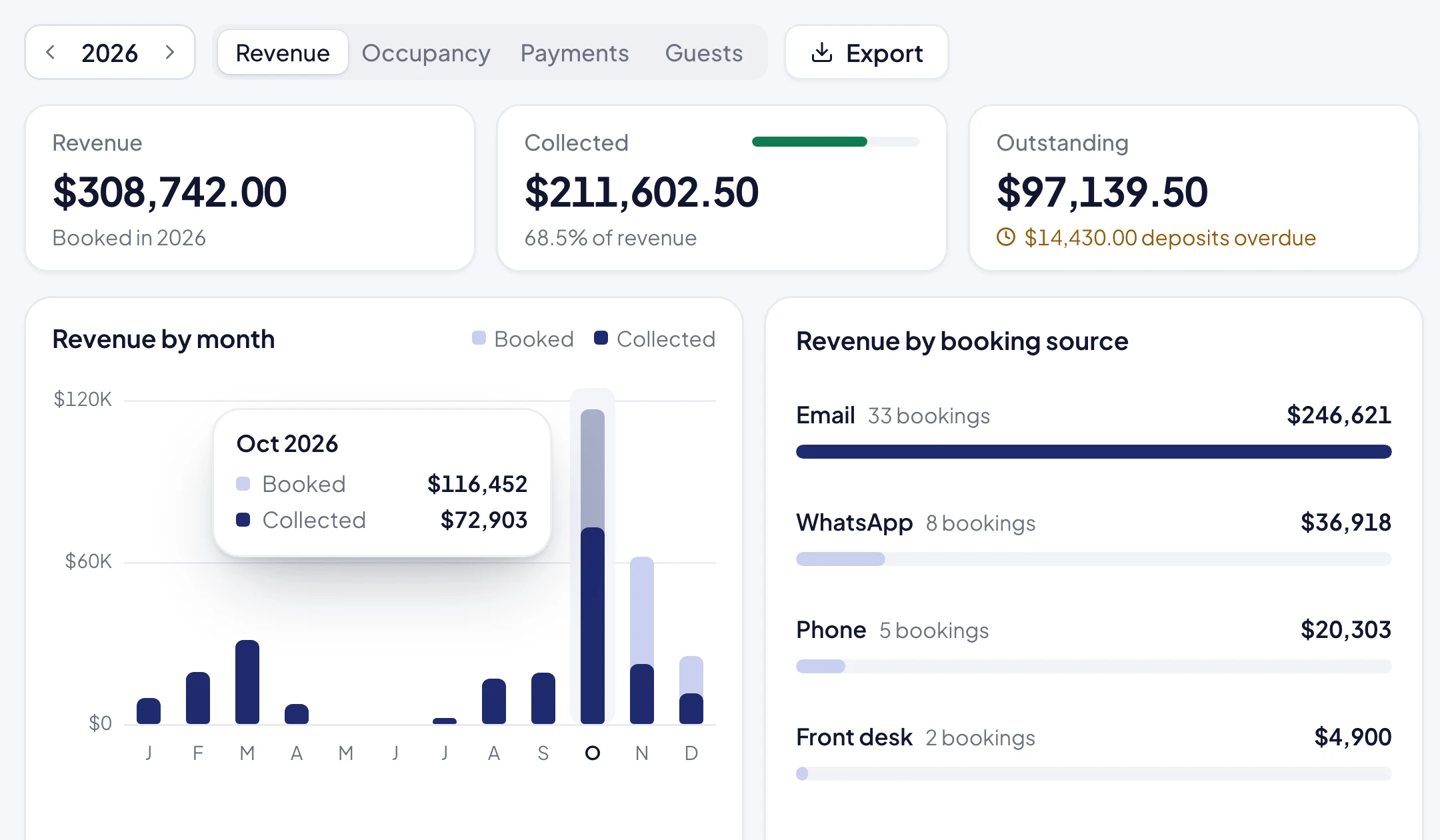
Finance reports group by currency. A week with USD 18,400 and CAD 6,200 shows exactly that, not a total in one currency at a rate someone picked. Your accountant converts at the rate the books require.
Exports
Reports export as XLSX or CSV for your accountant or bookkeeping system. Export column headers are in English.
Payments in another currency
Payments are recorded in the booking’s currency. If a guest settles a US-dollar bill in Canadian cash, staff record the US-dollar amount it covers; Lodery doesn’t convert or track exchange differences.
About 30 currencies
Including US and Canadian dollars, Mexican, Argentine, Chilean, Colombian and Uruguayan pesos, Brazilian reais, Peruvian soles, Costa Rican colones, Guatemalan quetzales, euros and pounds sterling.
If you want conversion
Lodery never converts. LodgeRunner’s Canada page says it retrieves current exchange rates and can convert currencies when recording payments (source, checked on 23 October 2026). If you want the system to convert a bill at today’s rate, that is the better fit.
Not accounting software
Lodery has no general ledger, chart of accounts, bank reconciliation or tax returns. It is not a fiscal invoicing system either: the printable invoice is not a fiscal document and isn’t connected to ARCA, the SII, the SAT or any other tax authority. It records what each booking sold and collected, per currency, and hands that to your accountant.
Bill in dollars and your own currency
Canada: USD and CAD
American anglers book in US dollars, Canadians in CAD, with HST or GST and PST on both. Reports show the two currencies apart, ready for books kept in Canadian dollars.
Patagonia: USD and ARS
Foreign anglers pay in dollars, Argentine guests in pesos. Keeping dollar bookings and their payments apart makes the factura T trail easier to follow; the invoice itself comes from your fiscal system.
Mexico: USD and MXN
International guests on US-dollar rates, Mexican guests on peso rates. CFDI invoices stay in your invoicing system; Lodery keeps the two currencies apart until they get there.
Check what multi-currency covers, and what it doesn’t
Rates in many currencies
About 30, including USD, CAD, MXN, ARS, CLP, BRL and EUR.
One currency per booking
Rates, charges and payments all in the booking’s currency.
Products priced per currency
Bar and shop sales are charged in the booking’s currency.
Deposits and balances by currency
Payment schedules and deposits stay in the booking’s currency.
Overdue amounts by currency
What is owed in each currency, shown separately.
Reports per currency, no conversion
Each currency is totalled on its own.
XLSX and CSV exports
For your accountant or bookkeeping system.
Your own tax rules
Percentages or fixed amounts, included or added on top, versioned when rates change.
Automatic currency conversion
Each currency stays as it is; convert in your books.
Mixed-currency bookings
Split the party into two bookings if two people must pay in different currencies.
General ledger or accounting
Keep your accounting system; Lodery feeds it with exports.
Fiscal or electronic invoices
No factura T, CFDI, SII or other fiscal invoices.
Accounting-system integration
No QuickBooks or Xero sync; export instead.
Online card payments
No card processing; Mercado Pago links for peso bookings are built but not yet tested live.
Lodges ask us about currencies
For more questions, write to us.
Lodery can: keep rates in each currency, give each booking one currency, and read reports that show each currency separately.
No. It never converts or adds currencies together. If you need conversion at current exchange rates, LodgeRunner says on its Canada page that it does that.
No. Each booking uses one currency for its rates, charges and payments. Split the party into two bookings if two people must pay in different currencies.
No. It has no general ledger, bank reconciliation or tax filing, and its invoice is not a fiscal document. Export reports as XLSX or CSV for your accountant.
About 30, including US and Canadian dollars, Mexican, Argentine, Chilean, Colombian and Uruguayan pesos, Brazilian reais, Peruvian soles, euros and pounds sterling.
No. Fiscal invoices stay in your current invoicing system. Lodery keeps each booking’s currency and payments clear, so the invoice is easy to issue there.
Plans and pricing
30 days free | No setup fees | Cancel anytime
Reports is free on every plan, with no limit.
∞
Unlimited, on every plan
Always free
See pricing

See it in a live demo
A walkthrough of the staff app with your own questions: rooms, guides, the kitchen and the bill.
Book a demoSee the latest update
We keep improving the staff app. See what shipped in each release.
Read the changelog